> For the complete documentation index, see [llms.txt](https://docs.moonwell.fi/moonwell/llms.txt). Markdown versions of documentation pages are available by appending `.md` to page URLs; this page is available as [Markdown](https://docs.moonwell.fi/moonwell/developers/protocol/4626-vaults/erc20-vault-deployment.md).
# ERC20 Vault Deployment
To deploy an ERC20 Vault for your project or use case, follow these steps:
1. **Determine the Tokens or Assets**: Decide which tokens or assets will be deposited into your vault.
2. **Find the Corresponding mToken Address**: Visit the [Contracts](/moonwell/protocol-information/contracts.md) page and find the corresponding mToken address for the tokens or assets you want to use. Please note that these vaults are only available on the [Base](https://base.org) network.
3. **Navigate to the Factory4626 Contract**: If depositing ERC20 tokens, navigate to the [Factory4626 contract](https://basescan.org/address/0xe770bd40b6976efbbb095174395dd2cb794c938a#writeContract#F1) on the Basescan page.
4. **Connect to Web3**: Connect to Web3 using MetaMask or another wallet provider on the Basescan page.
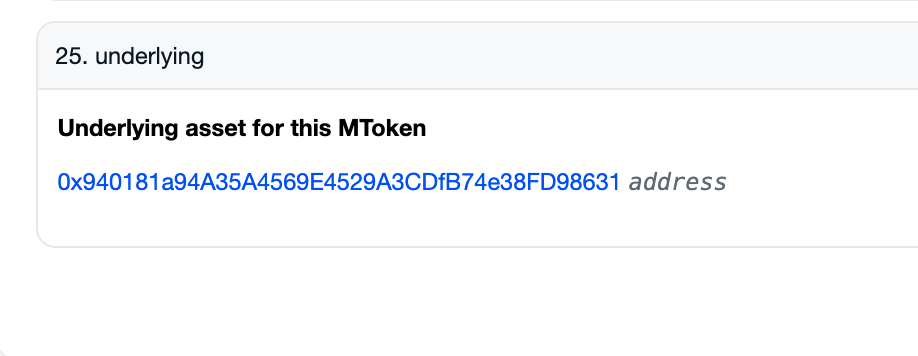
5. **Find the Underlying Token Address**: Call the `underlying` method on the mToken through the **Read as Proxy** page. This will reveal the ERC20 token that needs to be deposited to mint the mToken.
6. **Ensure Sufficient Token Balance**: Make sure the deploying wallet has a balance of at least `10 ** ((underlying token decimals * 2) / 3)` of the underlying token.
7. **Approve Token Spending**: Approve the underlying token to be spent by the 4626 factory address. The approved amount should be at least `10 ** ((underlying token decimals * 2) / 3)`.
8. **Enter the mToken Address**: In the Factory4626 contract, enter the mToken address corresponding to the underlying token you want to use for the vault.
9. **Specify the Reward Recipient Address**: Enter the reward recipient address that will receive the rewards on behalf of the 4626 depositors.
10. **Deploy the Vault**: Click **Write** and approve the transaction that pops up in your wallet. This will deduct `10 ** ((underlying token decimals * 2) / 3)` from your token balance to create an initial mint amount in the vault that is burned. This burn amount helps mitigate share price inflation attacks where an attacker front-runs an initial depositor and increases the share price.
Once the transaction confirms, your new ERC20 4626 Vault will have been created and will be ready for use.